Stop being your own
ShiplyTech gets company devices back from remote employees. We send the box, guide the employee, follow up, track the shipments, and get the device where it needs to go — back to your company, into storage, or into secure disposal.
From $95 · No subscription · No setup fee · No employee account

Outbound kit + returning device · tracked
- US laptop return
- $95
- No setup fee
- No subscription
- The employee uses a private return experience
- No employee account
- Return · Store · Dispose
- 3 outcomes
The shipping label is easy. The chase is what costs you.
Every return carries a dozen small jobs. None are hard, which is exactly why they keep landing on IT.
Without ShiplyTech · your team
- Finding the employee's current address
- Sourcing a box and packing materials
- Writing and sending instructions
- Following up when nothing moves
- Checking tracking numbers
- Reconstructing status in a spreadsheet
With ShiplyTech · we own it
- We verify the address before payment
- We ship the padded return kit
- We send the employee clear instructions
- We send the reminders for you
- We track every box both ways
- You see it all in one record
Order. Ship. Resolve.
See the full process- 01
Order
You enter the employee and pick the outcome.
- 01
- 02
Kit sent
Padded box, instructions and prepaid labels.
- 03
Employee
Packs the device. We send the reminders.
- 04
Return in transit
Each box tracked on its way back.
- 02
- 05
Resolve
Back to your company, into storage or secure disposal.
- 05
Where should the device go next?
Pick the outcome when you start the return.
Back to the address your company picks.
The employee ships the device straight to the destination your team chose, with tracking on the way back. Your team checks it in when it arrives.
Learn about device returns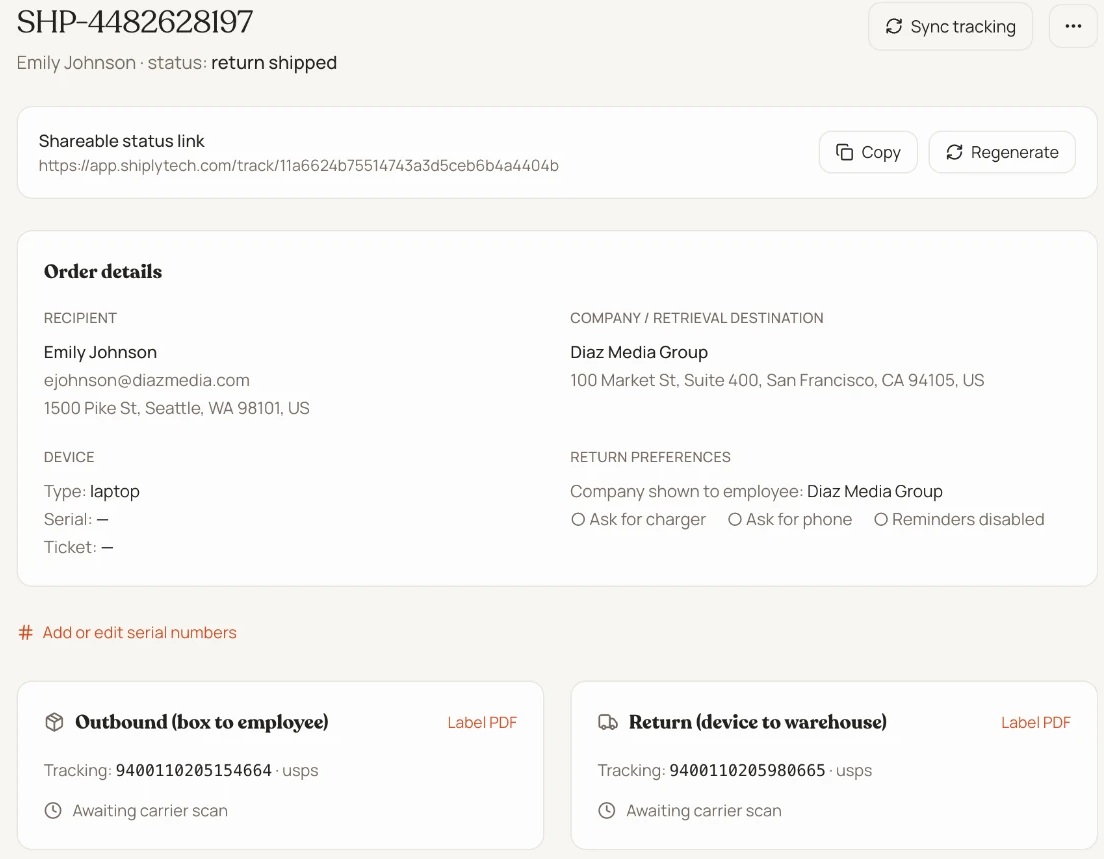
We run the return. You keep the visibility.
A service supported by software — not another dashboard your team has to administer.
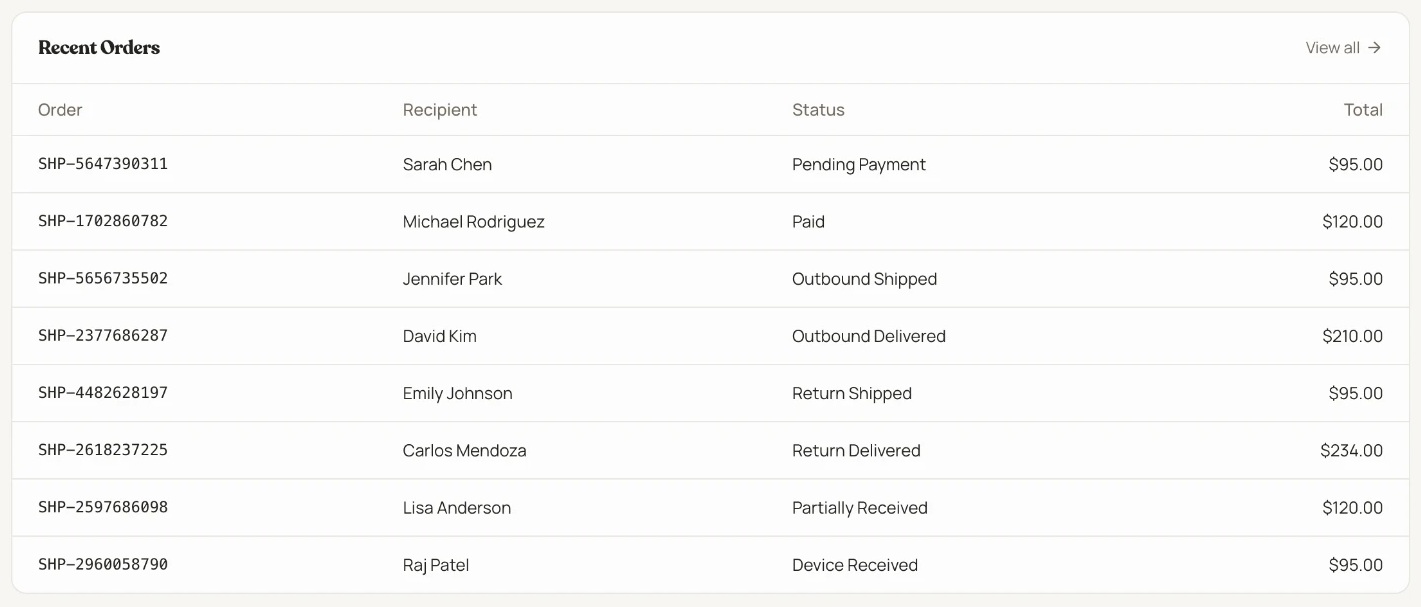
Every return in one list, with its employee, destination and current status.
Actual ShiplyTech app · Test data
Fits into your workflow.
Or start with the list you already have: CSV or Excel bulk import.
Explore integrationsREST API
Create and read orders from your own tools.
Signed webhooks
HMAC-signed status events.
Snipe-IT
Optional connection, off by default.
Start with one return.
No subscription. No setup fee.
- Return kit
- Prepaid outbound shipping
- Prepaid return shipping
- Employee follow-ups
- Tracking
Built to be checked.
Your organization's data is isolated
Each organization's data is isolated at the database level.
Card data stays with Stripe
ShiplyTech does not receive or store full card numbers.
No access to your MDM
ShiplyTech cannot access or remove devices from your MDM, Apple Business Manager or Autopilot.
Signed API events
API keys are stored hashed and webhooks are HMAC signed.
ShiplyTech came from more than a decade working in IT, including six years supporting distributed teams and repeatedly watching device returns turn into manual logistics work.
About ShiplyTechQuick answers.
All questionsThe next departure shouldn't cost you an afternoon.
Let ShiplyTech handle the return.